
Video generation
Type what you want to see. The AI makes a video clip.
This clip was made from photos of a real car.
You need: An engine, set up once in Settings ▸ Engine.
Watch it in the app
Make your first clip
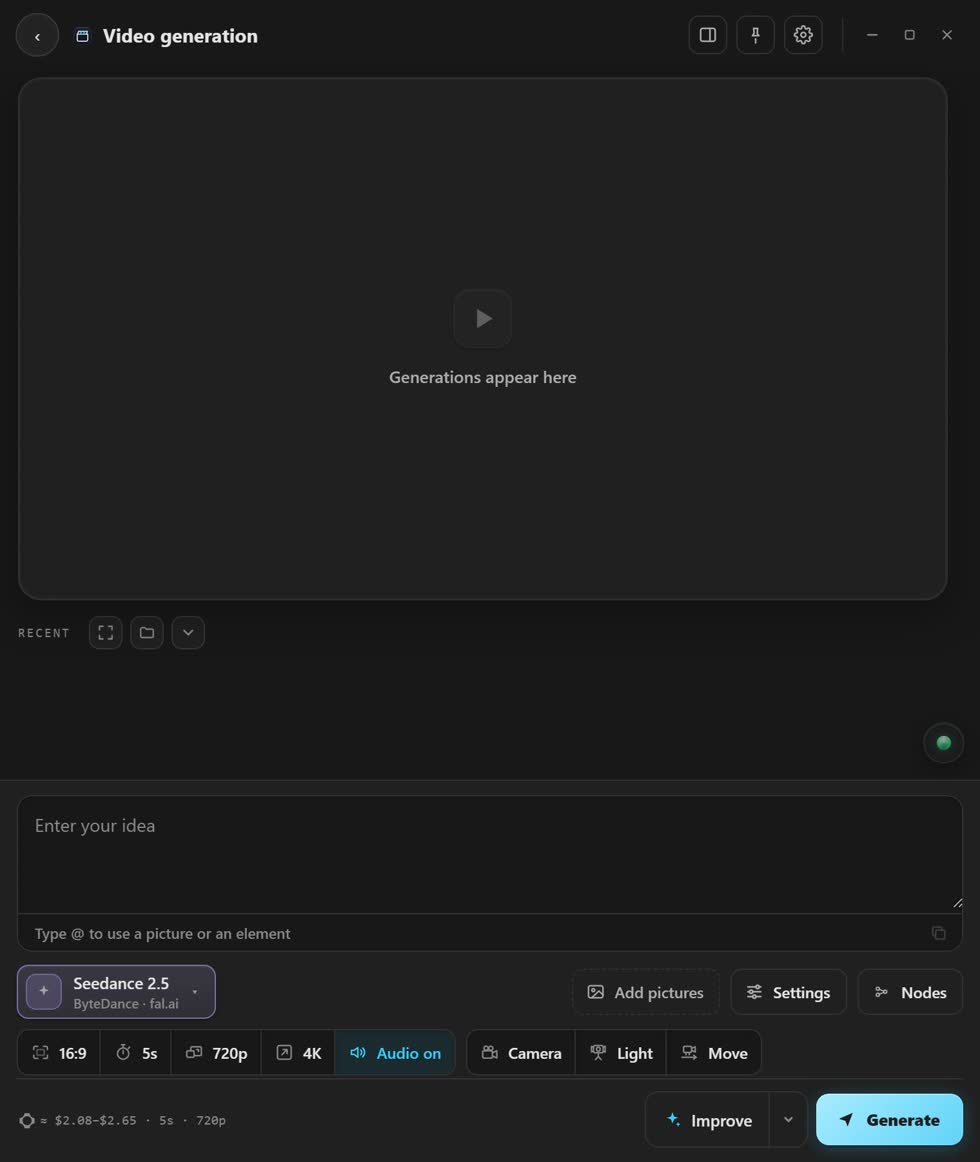
- Open Video generation. It is the first app on the home screen.
- Pick a model. A model is the AI that makes your clip. Each one looks a little different.
- Say what happens. One or two sentences is enough, like “a red car drives along the coast at sunset”.
- Pick the shape and length. The small buttons under the box do this. The price shows before you press.
- Press Generate. When it is done, press Add to Timeline.
More you can do
- Use your photos
- Press Add pictures. Type @ in your words to point at one.
- Use a clip or sound
- + Video adds a clip. + Audio adds an MP3 or WAV.
- Better words
- Press Improve and your AI rewrites your words for the model. Put back undoes it.
- Camera and light
- Pick a real camera, a light and a camera move. Here is how.
Stuck? Press the round button at the bottom right of the app and ask the assistant. It knows every screen. Or ask other editors in The VFX Room.