
The assistant
A helper you chat with. Ask it anything, or tell it what to make.
Watch the full tutorial on YouTube ›
Your first five minutes
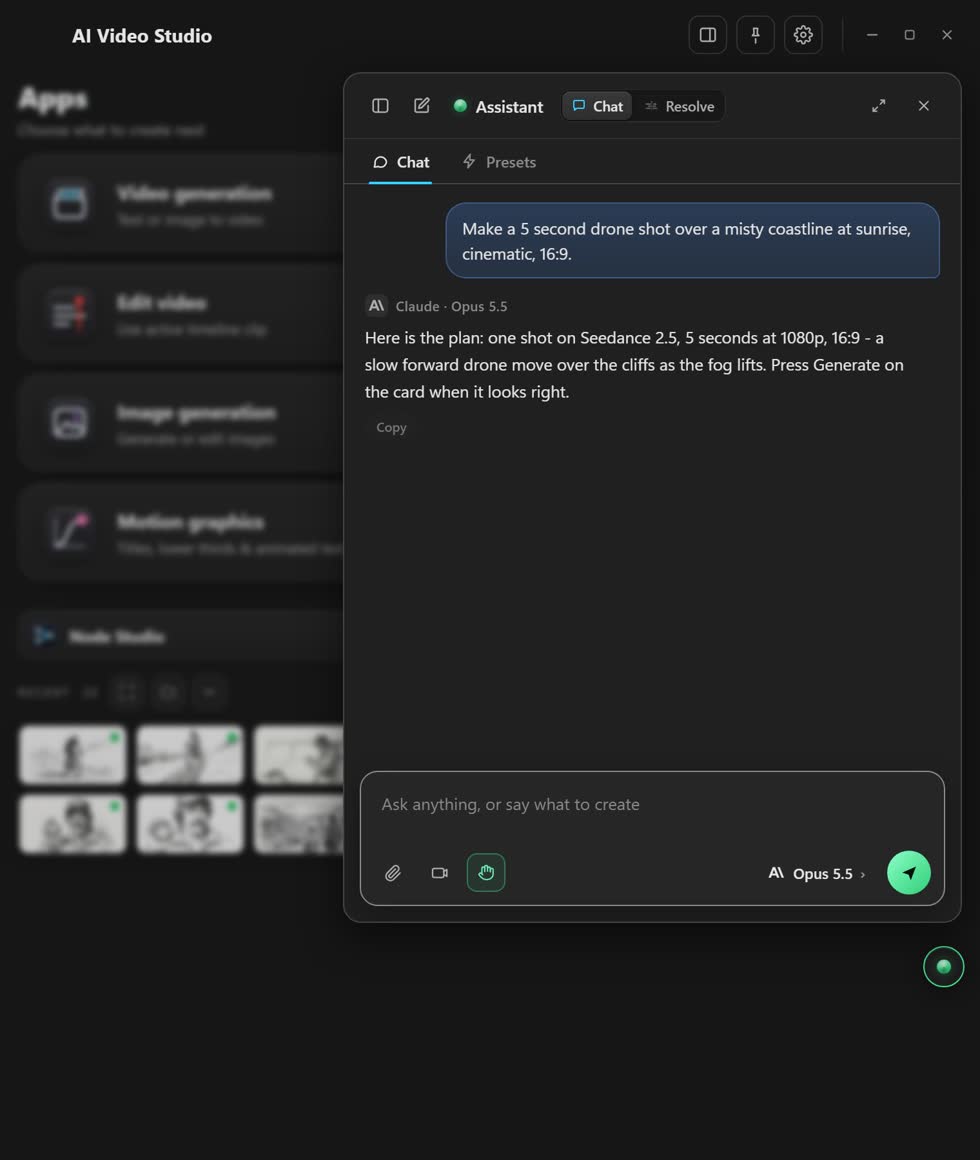
- Open it. Press the round button at the bottom right.
- Ask in plain words. Like “make a 5 second drone shot of a misty coast”.
- Look at what it shows you. It answers, or it shows a card with a button.
- Press the button if you like it. Nothing costs money before you press.
- Add files with the paperclip. Pictures, clips, or notes from Excel, Word, PDF or a Google Docs link.
What it can do
- Set things up
- It opens the right app and fills it in. You press Generate.
- Work in Resolve
- Cuts, captions, Fusion graphics, colour and render jobs. Needs Resolve Studio, with Preferences ▸ System ▸ General ▸ External scripting using set to Local.
- Build a whole edit
- Give it a brief and a folder of footage. Keep typing while it works. Needs Resolve Studio.
- Ready-made jobs
- 32 of them, in the Presets tab.
- Remember things
- Say “from now on…” and it keeps it. You see a note, with a Forget button.
- Read your accounts
- On a Claude or ChatGPT plan it can read your connected apps and the web. It never changes anything there.
Pick a brain
- Your plan
- Use your Claude or ChatGPT subscription. No key needed.
- Free
- The free NVIDIA brain.
- Your own key
- Claude, or another provider.
- On your computer
- Gemma 4 through Ollama. Nothing you type leaves your computer.
Is it safe?
It never takes over your mouse or keyboard. In Settings ▸ Approvals you choose: it asks before every change, or only before spending money. A generation always waits for your press, and Undo puts your project back.
Stuck? Press the round button at the bottom right of the app and ask the assistant. It knows every screen. Or ask other editors in The VFX Room.