
Motion graphics
Titles, name tags, logos: anything that moves on your video.
Studio
Glow
Impact Stack
Split Slide
Highlighter
Number Burst
See all 18
Light Sweep
Mask Rise
Glitch
Block Reveal
Blur Focus
Type Cursor
Glass Pill
Line Draw
Tag Stack
Circle Scribble
Checklist
Subscribe
Watch the presets in the app
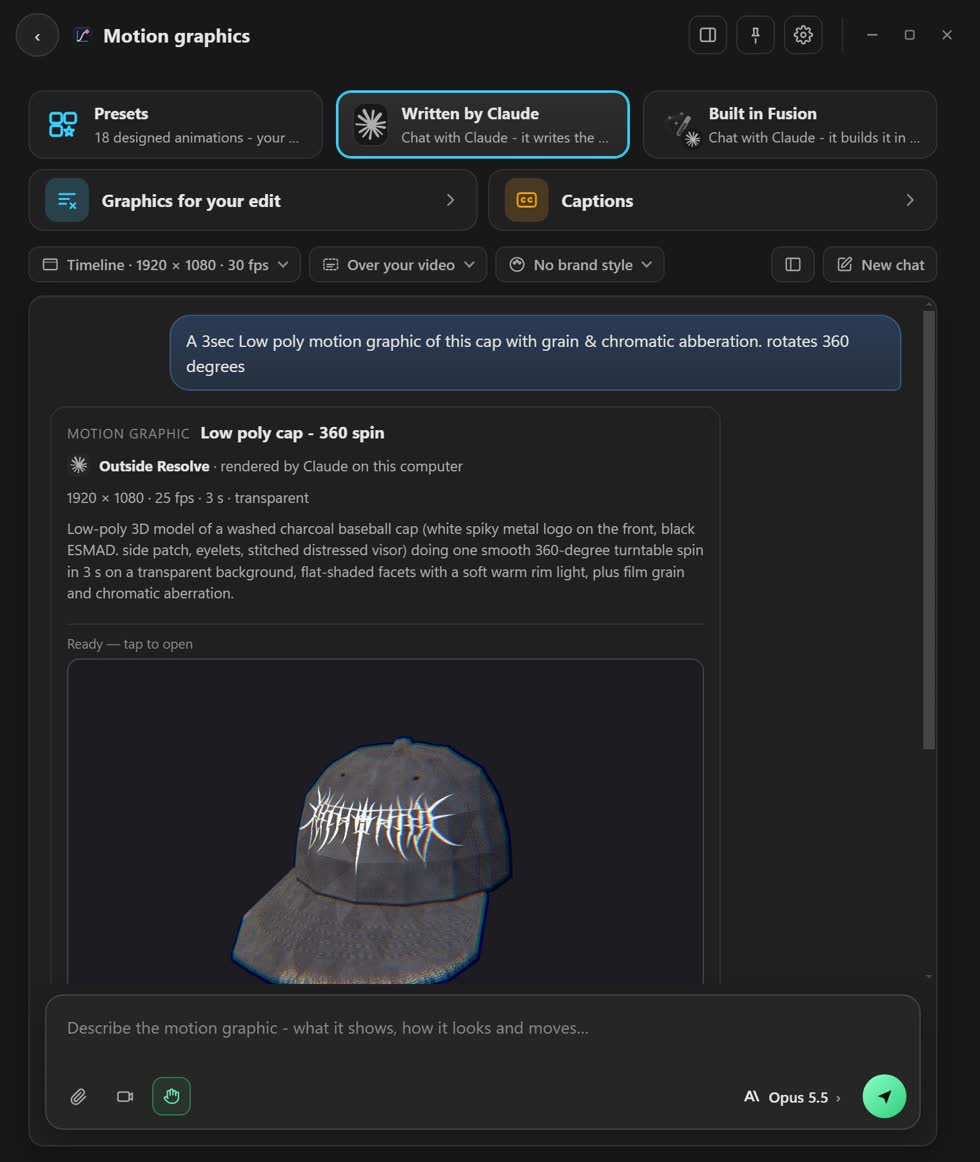
Watch a graphic made in a chat with Claude
Watch the Captions designer
Three ways to make one
- Presets
- Pick one of 18 designs. Change the words and colours. Free, and no AI.
- Written by your AI
- Tell Claude or ChatGPT what you want in a chat. It makes the clip for you.
- Built in Fusion
- The same chat, but it builds it in Fusion so you can change every part. Needs Resolve Studio.
Use a preset
- Open Motion graphics. Tap it on the home screen.
- Pick a preset. Each tile shows how it moves.
- Type your words. The preview changes as you type.
- Drag it where you want it. The corners make it bigger or smaller.
- Press Place. It lands on your timeline at the playhead.
For your whole video
- Graphics for your edit
- Resolve listens to your video. Each graphic lands at the right moment. Needs Resolve Studio.
- Captions
- Words on screen that follow your voice. Start from 13 looks.
Stuck? Press the round button at the bottom right of the app and ask the assistant. It knows every screen. Or ask other editors in The VFX Room.