
Pick the assistant’s brain
The brain is the AI that thinks for the assistant. You set it up once.
Which one should I pick?
- Best results
- Your Claude or ChatGPT plan. Best for building in Resolve, motion graphics and big jobs.
- Free and easy
- NVIDIA. A free key, no card needed. Good for questions and prompts.
- Private
- On this computer. Nothing you type leaves your computer.
- Pay per use
- Your own API key: Claude, OpenAI, Groq, OpenRouter, Gemini and more.
Use your Claude or ChatGPT plan
- Open Settings ▸ Brains & accounts.
- Press Set up beside Claude or ChatGPT. It installs Claude Code or Codex for you.
- Sign in. The maker’s own page opens. The app never sees your password.
- Pick it in the chat box. That is all. There is no key and nothing extra to pay.
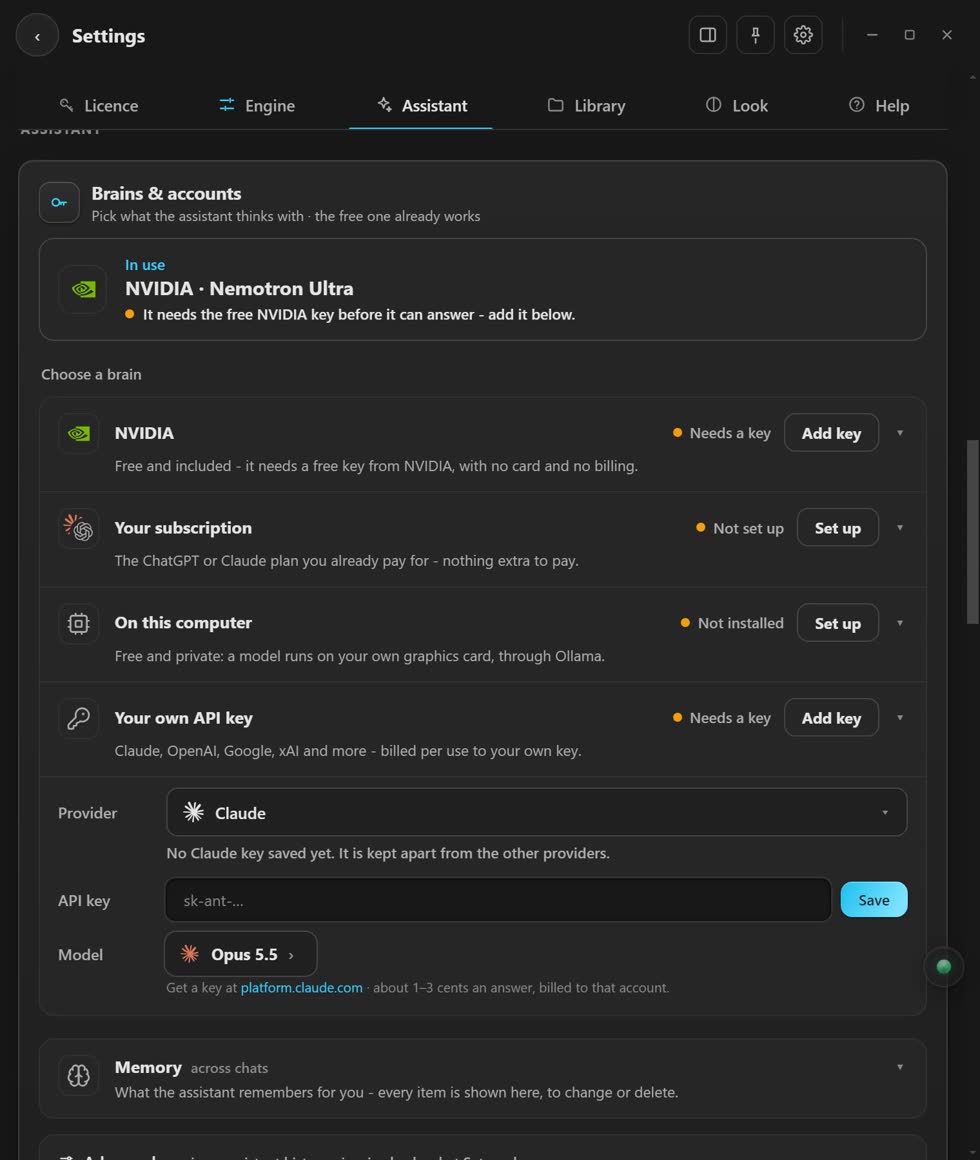
Use the free NVIDIA brain
- Get a free key at build.nvidia.com. No card needed.
- Paste it in under Settings ▸ Brains & accounts.
Use a brain on your computer
- Install Ollama from ollama.com and start it once.
- Press Check again under On this computer.
- Press Download beside a model. The table below shows which one fits your computer.
- Leave Window on Auto. The app picks the right size.
Use your own API key
- Pick the provider.
- Paste the key.
- Press Save.
How big is each local brain?
Through Ollama, free.
| Model | Download | For |
|---|---|---|
| Gemma 4 12B | 8 GB | 16 GB card |
| Gemma 4 E4B | 6.6 GB | 8 to 12 GB card |
| Gemma 4 E2B | 4.6 GB | laptops |
Stuck? Press the round button at the bottom right of the app and ask the assistant. It knows every screen. Or ask other editors in The VFX Room.